The Teacher's Corner
Puzzles and Activities

Our October Bulletin Board Ideas page will provide you with great resources for a number of monthly events, holidays and themes. Our bulletin boards will help you integrate seasonal activities into your daily curriculum. Ideas within the October bulletin board pages include resources for the following: fall, Halloween, bats, spiders, and harvest.
 We are always looking for new ideas! Your creativity can help other teachers.
Submit your bulletin board idea
and don't forget to include a photo if you have one!
We are always looking for new ideas! Your creativity can help other teachers.
Submit your bulletin board idea
and don't forget to include a photo if you have one!
 The iWall! Grades Various
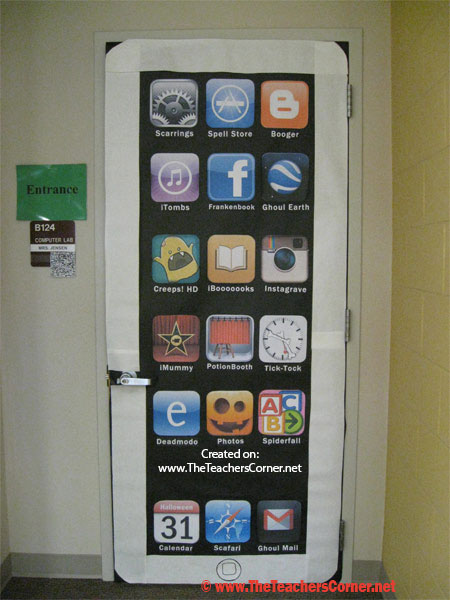 Are the iPod Shuffle, iPod Touch and even the iPad just too small? Well now we are pleased to release the new iWall!
This can be used as either a door decoration or a bulletin board. In the photo you will see a number of “play on words” when it comes to the various applications. Feel free to use your favorite apps! If you would like to use some or all of the items you see in the photo, we have provided you the files to download and print. If you are interested in customizing your display, we have also included the directions on how to create the app icons and labels.
Door Preparation
Creating the Application Labels (For MSWord) - Download ours here
Applications Used in Photo (click link to get to image, then right-click on the big image to print it)
Gmail – GhoulMail |
iMovie – iMummy |
PhotoBooth – PotionBooth |
Starfall – Spiderfall |
Blogger – Booger |
iTunes – iTombs |
Instagram – Instagrave |
Settings – Scarrings |
Creeps! HD – Creeps |
Clock – Tick-Tock* |
Google Earth – Ghoul Earth |
iBooks – iBooooooks |
Facebook – Frankenbook |
Safari – Scary |
Edmodo – Deadmodo |
App Store - Spell Store |
Photos – Used the icon from the following application: “Halloween – Coloring Puzzles for Kids” by DevelopLabs. |
Calendar – Halloween Calendar, My husband worked his Photoshop magic on this icon. |
||
Trick-or-Treat Data with a 21st Century Spin Grades Various
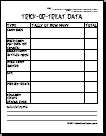 Prior to Trick-or-Treating, you will need to download and copy the Data Sheet. (You can also create your own.) You may also need to instruct students how to use tally marks when collecting data. Ask students to tally up their candy after they have completed their Trick-or-Treating. (Counting the tally marks can either be done then, or when they return to the classroom.) After students have counted their tally marks, they need to write the total number of that item in the last column. This will be the number that they enter when graphing on the computer. (Remind students that they need to include any categories that had a zero in their data.) The Data Sheet also includes lines for students to make statements about their data. (i.e. I received twice as many candy bars as boxed candy.)
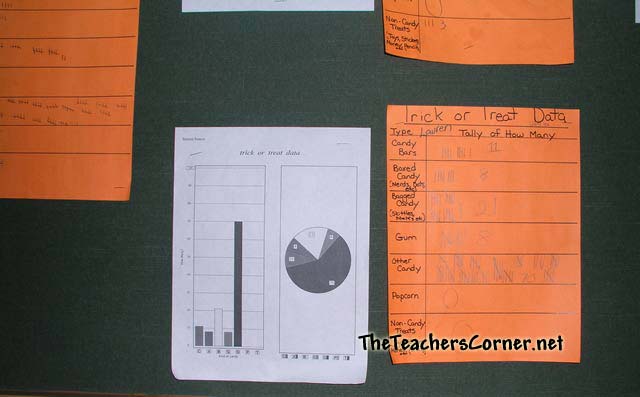 Once your students have their data collected on their worksheet, they are ready for the computer. Depending on the age of your students and available software, you have a couple of different choices. You can use a basic program like Graph Club, or a more advanced program like Microsoft Excel. Either way, your students will be able to create great graphs displaying their information.
Submitted by: Jennifer
Batty About Reading Grades K-4
I had my students write about a book they had read. Some wrote summaries while others wrote about their favorite part. Next they transferred their story onto a bat pattern. My bulletin board said 'Batty about Reading'.
Submitted by: Michael ngaftc@email-removed
Our class is full of Pumpkin Personality Grades Any
Cover the door with black butcher paper. Write in glitter glue pen or letter cut outs. Cut out orange pumpkins and write each child's name on one. Tape them to the black paper on the door. Tape up some scarecrows the kids drew also.
Submitted by: Angela Kennedy 4th grade teacher Three Rivers Elementary ANDEKEN@email-removed
"Do These Ghosts Haunt You?" Grades Various
I cut out several ghosts and on each ghost I write a term that might keep children from doing their best. For example, forgetfulness, tardiness, off task, talking, unprepared, etc. My title for the bulletin board is, "Do These Ghosts Haunt You?"
Submitted by: Gail Dacus, Unity Elementary School LaGrange, GA
"Get Caught in A Good Book"
For October, I put up a large spider web (made of black yarn) and a huge spider bought at a craft store. My caption was "Get Caught in A Good Book"--The letters for "caught" were somewhat tangled up in the web!
Submitted by: Heather Randall heather_randallgreblunas@email-removed
Spiders and the Number 8 Grades K-1
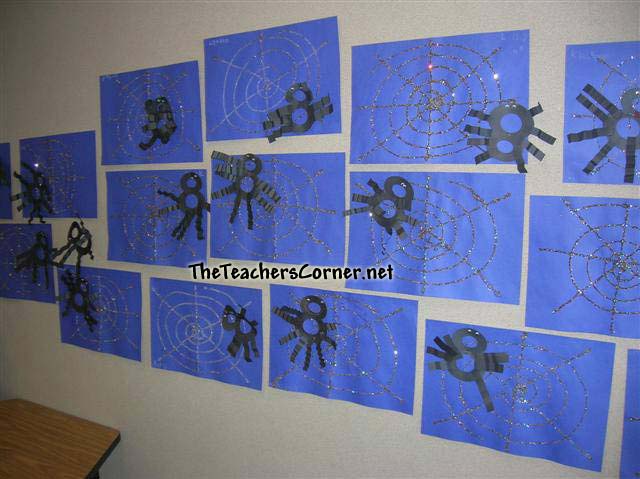
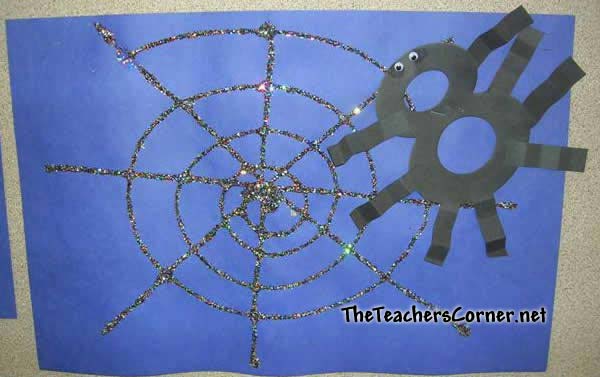 This display provides students the opportunity to connect their learning to a real-life situation. Using blue construction paper and glitter, students create a spider web. (Prior to giving the supplies to students, draw your web on a separate piece of paper and then run the construction paper through the copier. This will mean that students need to follow the lines with their glue.) Use an Elison die cut to create your number 8's. You will also need to cut small pieces of black construction paper for the spider legs. Students glue these, along with the googly eyes, to the 8. Finally, students attach the spider to the web.
Submitted by: Jennifer
Halloween Fun Grades K-2
 This was used as a menu for the cafeteria.
Submitted by: Judy W.
 We haven TONS of FALL themed Bulletin Boards
Don't miss our MASSIVE selection of Halloween Ideas and Activities
Also see our October Lesson Plans, Thematic Units and Activities
Please EMAIL your favorite October Bulletin Board idea.